Workstation 2020

Since my workstation setup has become slightly unusual, it may be worth writing a bit about. As of writing this, I used to move between three places, so I focus on one of them, and add comparisons, plus later developments.

In short, this is a story of Přemysl Eric Janouch trying to use money to get something nice, and failing horribly half the time.

Eventually, I might want to split out the sections into separate articles.

Agitator Display Headphones Stereo Keyboard Tablet Lighting Desk Printer UPS Chair Computer

Contents

Desk

I bought an electrically adjustable desk so that I could try working while standing. After half a year of having it, I can’t say I do that a lot but the adjustability is certainly convenient. I have ended up programming three positions into the desk: sitting, standing, and eating while sitting.

The particular desk is an AlzaErgo Table ET1. Sadly the construction is not that solid, as the upper part somewhat pivots on two stupid screws that you have to tighten a lot, or it will move when you sit on it. Trying to center the top board on the frame also sucks, you don’t get any holes pre-drilled and it doesn’t seem to join to be entirely straight. The electronics is alright.

Chair

The mostly white chair, Antares Dream, is mostly for show. It satisfies my requirement of lacking a headrest, but the armrests are rather annoying as they can be neither adjusted nor removed completely. Originally it came with hard wheels but I wanted to avoid scratching anything and replaced them with softer ones. Though I’ve also bought a floor protection mat and can’t say how effective the two measures were by themselves.

At work we have Antares Enjoy which is fairly similar, yet different in details: a sparser mesh, lots of plastics (which is good as it’s softer than metal), detachable adjustable armrests, and a stupid irremovable headrest.

Overall, so long as it’s soft, I’ll sit on anything. My third chair is super cheap and basic.

Lighting

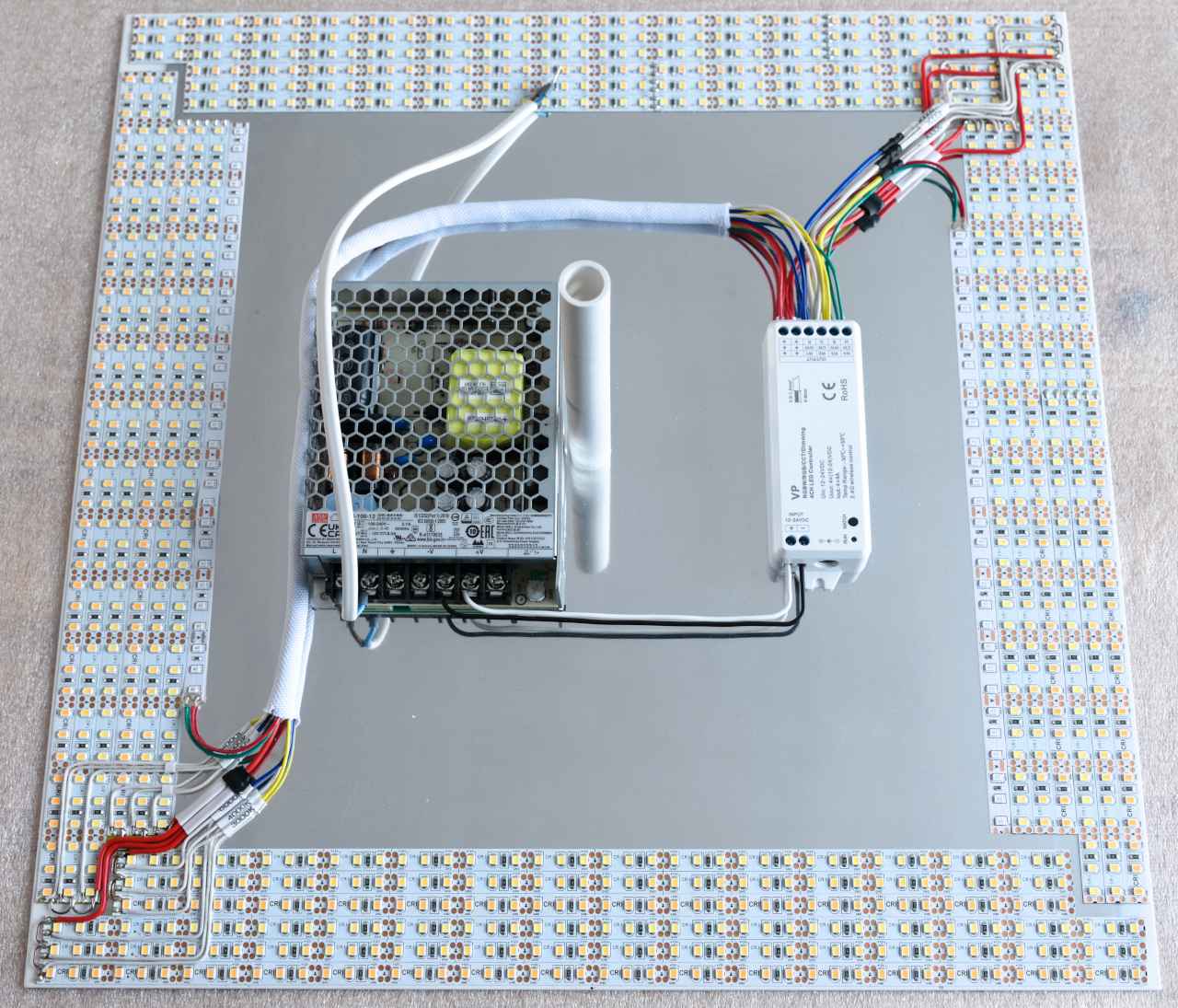
Even if I didn’t work during random hours, I highly prefer bright D65 light to whatever shade of piss people call ‘normal’, if only because my displays are calibrated to sRGB. Somewhat unfortunately, it’s rather hard to obtain a high-CRI high-power 6500K LED, though I’ve been fine enough with everything I could get my hands on so far, the bigger issue sadly being noise, if anything.

It gets a bit tricky to position light sources so that there’s no glare or undesired shadows. I ended up putting a tall lamp on the desk, which may be suboptimal but gives very good results. In general it’s better to make the light scatter against walls, even if it requires more power.

Computer

I only really used my Intel Skull Canyon NUC for a computer at the time, if I don’t count my server (or my smart phone, which I avoid using). I carried it around everywhere as if it was a laptop, even ordering a second power brick from Intel’s crappy e-shop so that I could keep one at work. It was a wonderful, small but rather powerful device, packed with features, lots of RAM and flash memory. Sadly, it didn’t last me as long as its desktop predecessor, to which I’ll get in a bit.

The only upgrade I had to do, so to speak, was replacing the thermal paste on the CPU, since it started overheating like crazy after about 2 years of use, filling my dmesg with warnings, and sounding as if it wanted to take off during heavier tasks such as compilation. I went for Conductonaut, which is a somewhat tricky substance that shouldn’t see temperatures lower than 9 degrees Celsius because it freezes up near that point, though it did its job wonderfully. It seemed that it degraded a bit since I put it there but that is to be expected, as part of it apparently gets absorbed into the copper heatsink. I couldn’t be bothered to reapply it.

Anyway, this might be the biggest practical downside: it was rather noisy under load, which I luckily didn’t mind much. I also need a dedicated keyboard, pointing device, and display everywhere I went with it.

In the end, I suspect it was exactly Conductonaut that ruined it, as it started shutting down on me, with ever increasing frequency. This happened at a fortunate time, because the appropriate replacement was the Hades Canyon NUC. Just look it up, and marvel at all the ports! When the time arrived to retire it to serve as my home server instead, I took the safer path, and used the remnants of my Noctua NT-H1 compound to help it stay cool.

Today, my main computer is a Ryzen 7950X3D/GeForce RTX 4090 behemoth that consumes way too much power merely idling, while still being too weak for any advanced AI workloads. As a redeeming quality, it houses the wonderful ASUS Xonar Essence STX discrete sound card—​the difference to NUCs' integrated chips is huge. Still, I’ve been trying to make my 14" MacBook Pro M1 Pro my second home, with moderate success. At least I’m portable again (as mentioned before, I don’t like using smart phones).

Mostly to have a dedicated computer for work, I’ve most recently bought a Framework Desktop with 128 gigabytes of RAM. Besides again being too weak for any real AI, it has an extremely noisy PSU fan. But at least it’s cutely small, and I’ve managed to buy something with lots of RAM in 2025, right before prices shot up sharply.

Display

Sigh. That’s a BenQ PD3220U right there, 4K on 31.5", and while it looks awesome and all, of course it has to have a defect: you can’t see the bottom ~two rows of pixels in their entirety when viewed from a normal angle.

At least it has DDC/CI, unlike my other main display, EIZO ColorEdge CS2730, 2K on 27". EIZO, what the fuck? Literally everyone else supports it, is it too much to ask for something as basic as brightness to be controlled from the computer, on a high-end display no less?

Of course, both of them are leagues above the Dell U2718Q that I have at work, 4K on 27", in at least one important thing: backlight uniformity. LCDs suck.

Keyboard

Refer to the respective Input devices section. This is the Mid-Pro OLKB Planck.

Tablet

Refer to Input devices for some mouse background.

After buying a Wacom Intuos Pro M for some spare cryptomoney, I suddenly had two pointing devices connected to my computer, and seeing as the graphical tablet could also function as a touchpad, I wondered if I could abandon the mouse. Indeed I could, despite minor issues.

At work I used to have the smaller S version of the tablet, which is much more appropriate for this use, and good enough for my basic drawing needs as well.

Printer

That one’s also for show, an HP Neverstop Laser 1200w. This is how I’ve learnt someone could fuck up a laser printer. It’s still more practical than an inkjet in that it doesn’t clog up, and it prints fairly fast. If only the printouts weren’t curled up and shades of gray didn’t display horizontal stripes.

My other printer is an Epson WorkForce WF-7610DWF. I’ve made a few A3 pictures with it, and then I basically never needed either the large paper format, which makes the printer huge and hard to move, or the photo printing abilities. I should have just bought something simple, and visited a print shop instead. The head got misaligned, and can’t be fixed with the software alignment process.

Headphones

It’s pretty hard to find decent headphones. For a long time, I was rather happy with Koss Porta Pro, except that they tended to attract various issues, such as: broken cable, hair stuck near both sides of the membrane requiring disassembly and careful extraction, worn out headband foam, disintegrating pads.

Partly as I felt it was a bit anti-social to use Porta Pro at work, I eventually got Audio-Technica ATH-M40x. Those aren’t bad per se, though at least the default ear pads start to get uncomfortable after a while, with your ears stuck inside and no ventilation. I don’t particularly like how they sound either. Eventually the pads disintegrated here as well, so I’ve thrown them out—​I despise dealing with the resulting plastic particles.

At some point I got interested in some nicer open-back headphones again for home listening, and I’ve ended up with the Sennheiser HD 558 in the picture, which required getting used to but now they’re the gold standard for me. Very comfortable for long-term use. To improve ergonomics further, I’ve managed to stab the M40x’s coiled cable into them. The only other issue I have is the headband cushion getting unglued, nothing severe. Sound-wise, they’ve finally shown me what ‘soundstage’ is, and they’re a bit bright. The plush pads do not fall apart!

What does it say about other Sennheiser headphones? Nothing! The HD 280 PRO were a complete failure that I promptly returned, and the phone-friendly HD 569 lack any bass for some reason, so I’m discouraged from using them.

Because you can never have too many headphones, the later progress has been:

  • Bose QuietComfort 25: Sound cancellation is fairly weak, and only works in the lower range of the frequency spectrum. They also start getting uncomfortable after a while because of the isolation, making them a bit of a disappointment, as I had higher expectations. Still, they’re portable, and sound okay. Pads fell apart, but I replaced them.

  • Samsung AKG USB-C in-ears: I got these with a Samsung phone. I don’t enjoy cleaning either them or my ear canals constantly, but they sound extremely good, with strong bass, and allow me to not care about the disappearance of headphone jacks in mobile phones. These are my preferred headphones for travel overall.

  • AKG K701: No bass whatsoever. None. Promptly returned.

  • Shokz OpenRun Pro: These leak a ton of sound into the air, so it might seem like they don’t conduct any of it through bones. Stuff some earplugs into your ears, though, and you will find out that they in fact do. Actually, doing exactly this might be their second best use case, after running.

    There is no support for any good Bluetooth codecs, and the wireless connection is unreliable with my Samsung phone, which I have been unable to fix. When used from macOS, it buffers several seconds.

  • Audio-Technica ATH-M50xSTS-USB: Bought for the wonderful integrated condenser microphone. Although I don’t remember enough to make a fair comparison, I think they sound better than the ATH-M40x, yet not enjoyable. I suppose the partially textile pads are only going to fall apart partially. They’re also too shallow, thus hurting my ears, so it might be a good idea to look for alternative ones.

Stereo

I don’t actually use headphones at home much. The Pioneer A-40AE, just like my older A-30K in another place, is absolute overkill in terms of power, however I failed to find anything more appropriate on the market.

The A-40AE supports optical input, and the wonderful discontinued NUCs have optical output. This way, there’s no space for electrical interference, which otherwise tends to be a huge problem if you don’t have an electrically isolated sound card. Though the approach comes with its own annoying downside: you can no longer control volume from your computer.

That is, unless you have an infrared transmitter. I’ve bought ELK Smart EKX4S and EKX5S-T transceivers, reverse engineered their control software, and now I can replay commands from remote controls over USB (these are simple NEC pulse-coded sequences). Most importantly to turn the amplifiers on or off. Line of sight is oddly not required. It should also be possible to send the same commands by wire, but infrared light is a much simpler option.

Still, changing volume remotely wears out potentiometers, which I’m not too happy with.

As for speakers, I was long loyal to Denon bookshelf ones, with pairs of SC-M41 and SC-M39. I’ve also tried Magnat Monitor Supreme 202 but those positively sucked, so I returned them. Eventually, still seeking deeper bass, I replaced one of the Denons with Polk Audio Monitor XT20. Those are truly excellent.

My room audio still mostly sounds like crap, for two reasons. One is room acoustics, as larger rooms have too much undesired reverb, which must be reduced. The other is desk resonance, occurring even when speakers are placed on stands, which completely ruins certain lower frequencies, based on your furniture’s tuning. I’ve tried reinforcing the 18mm table top with an L-shaped steel section, but it seems like I rather need more mass.

UPS

Electricity tends to be unstable, no matter where you are. If you don’t want to lose your work, you need to have a battery somewhere. I’ve been doing fine with the nicely looking Eaton 3S 850FR. My older Eaton 3S 700FR ran on its original battery for 11 years—​then I started smelling something burning, which followed by it just dying on me completely. All Eatons can report status over the stardard USB HID protocol, so you can prevent sudden shutdowns automatically.

Another UPS I’ve tried is CyberPower BR1200ELCD-FR, which is much uglier, and whines during charging. I only keep it because of unfortunate timing when shopping but it’s found its place backing up my 3D printer. The two original batteries lasted me 6 years, until one of them cracked and failed. Replacing them is an extremely annoying process, as there’s not much space inside.

The latest addition to my collection is the Eaton 3P1700UF, as I needed something powerful enough to support my most power-hungry desktop PC. The tower form factor is more space-efficient than the oversized bricks. What I’m missing is surge protection for RJ-11/RJ-45.

Comments

Use e-mail, webchat, or the form below. I'll also pick up on new HN, Lobsters, and Reddit posts.